Enter Score Sheets
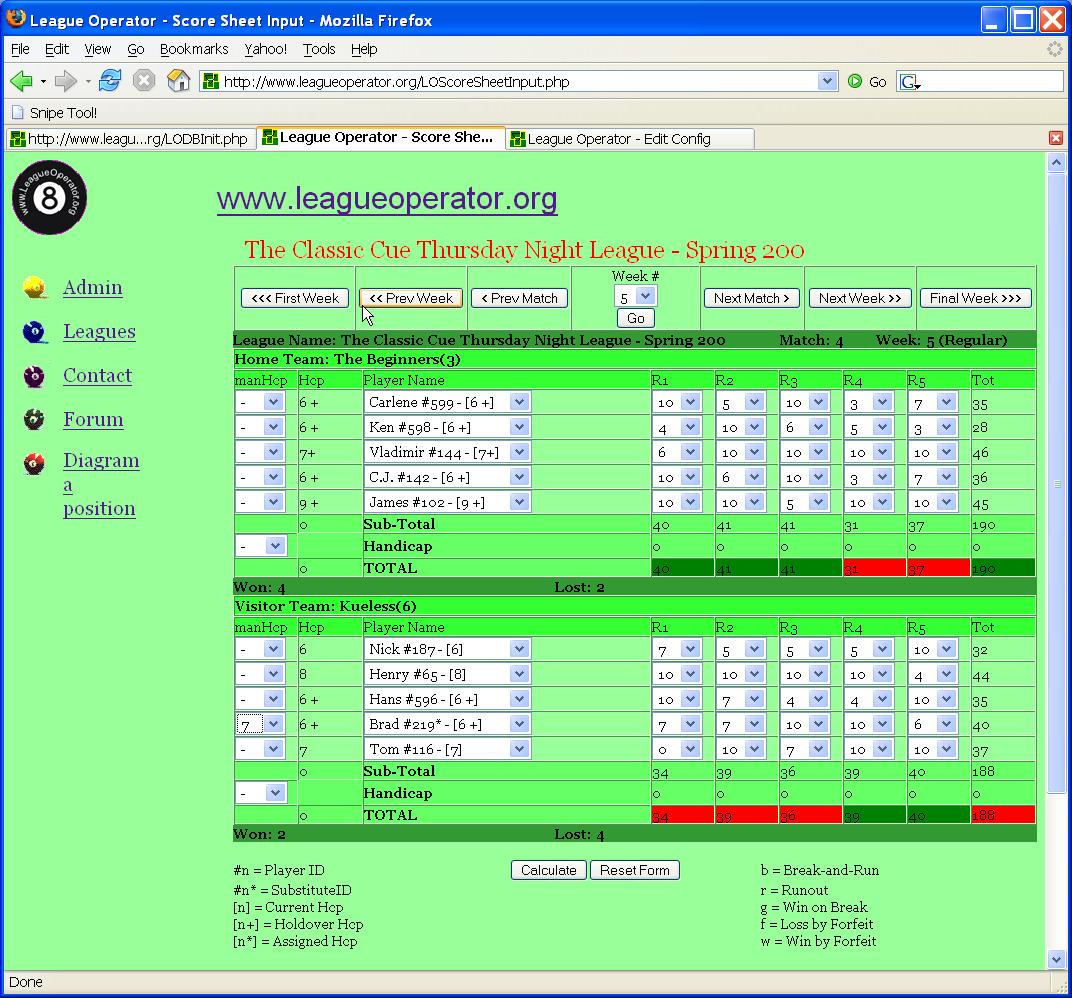
- Select the correct Week if needed.
- Click or TAB to the Player Name drop-down and use the down-arrow/up-arrow or key-in the first letter of the first-name of the player.
- Click or TAB to the score drop-downs and click or use the number keys to select the score.
- Manually set Hcp if needed (for example, increase Hcp for a substitute player).
- Repeat until all scores are entered and click Calculate.
Note:
- In case of a BYE week, leave the Player
Name as GHOST/NOBODY and
give the BYE team all 0s and the real team all 10s.
- In case of a GHOST, leave the Player Name as GHOST/NOBODY and enter the scores as usual.
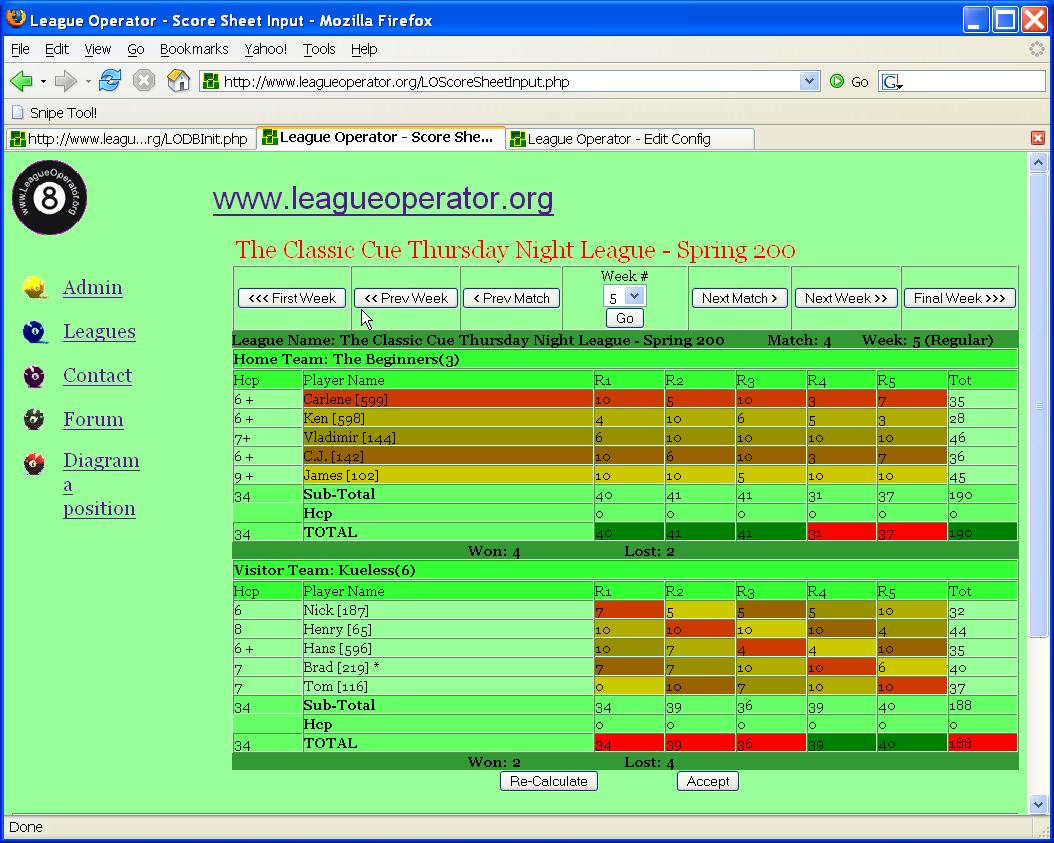
- If the calculated scoresheet matches your original, click Accept and then proceed to the Next Match.
- If the calculated scoresheet does not match your original, check the original and then proceed to the Next Match if there is an arithmetical error or click Re-Calculate if a score or Hcp was entered incorrectly.
Copyright © 2006, Carter Adams